
Private AI Keyboard for Android
Inside Every App You Type
WhatsApp, Gmail, Reddit, Upwork — wherever you type, select your text, tap the Synapse icon, and get AI help in seconds. No copy-pasting to ChatGPT. No app switching. Just pick your prompt and get the answer.
Synapse is an AI keyboard for Android 8.0 and above. It runs AI grammar correction, translation, tone rewriting, and custom prompts inside any app you type in — free to download with 20,000 credits, then pay-as-you-go from $5 with no subscription.
Android 8.0+· 100% VirusTotal Clean· Zero Data Logging
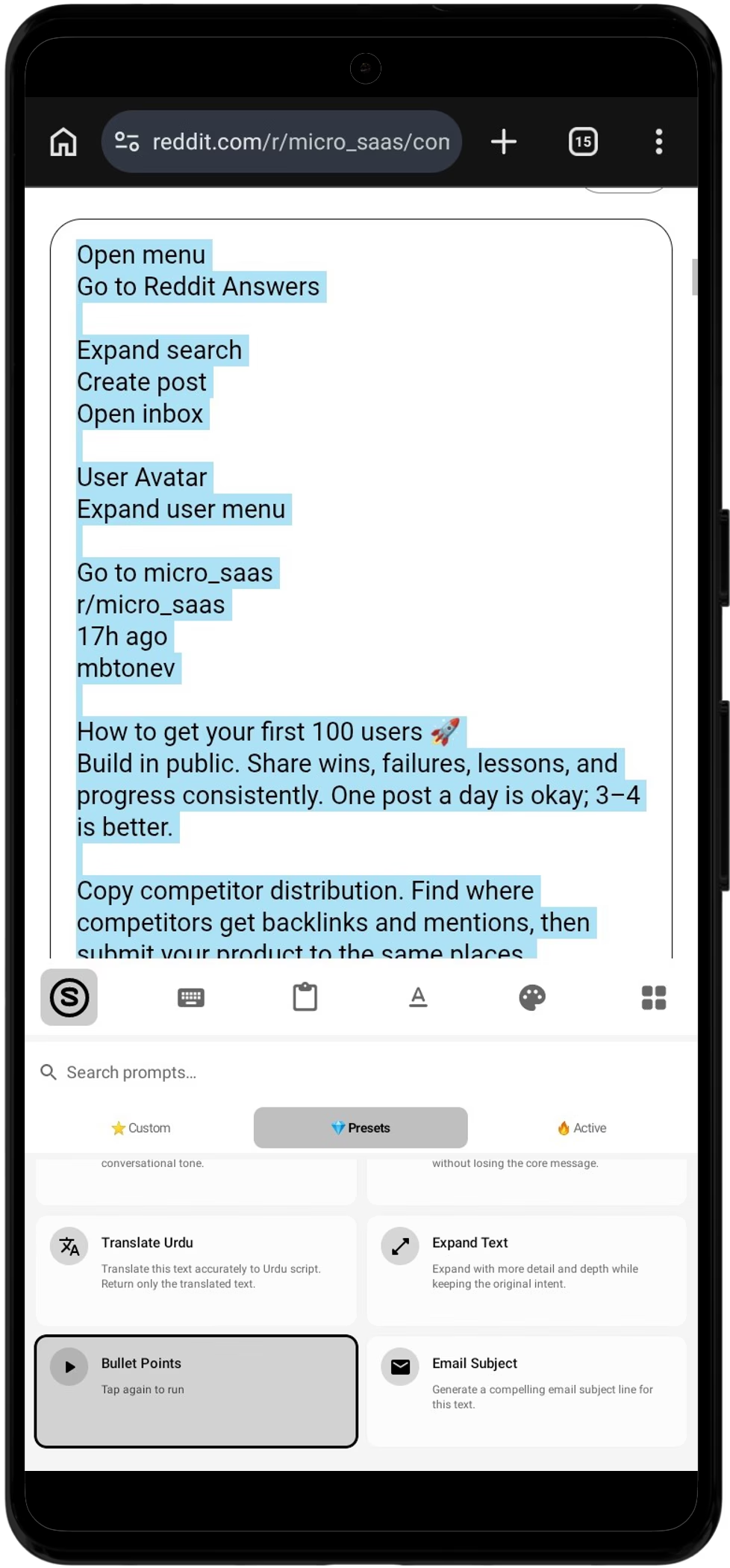
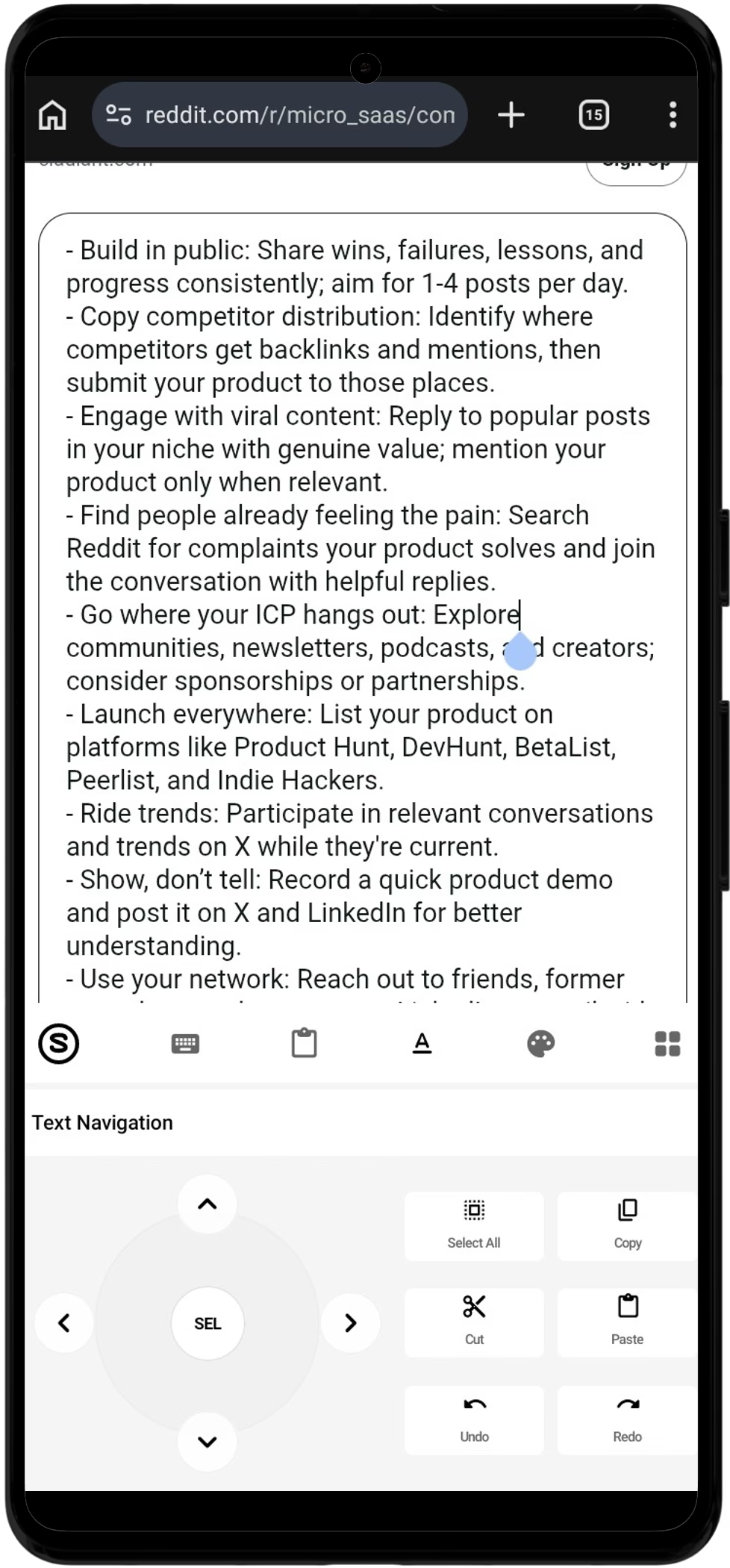
Works in any app
How to Install Synapse in 3 Simple Steps
No Google Play account or credit card required. Install directly onto any Android 8.0+ device in less than 60 seconds.
Download the APK
Tap the download button to save the APK directly to your phone. No Play Store sign-in or payment details required.
Tap “Install Anyway”
Android shows a standard prompt for any app installed outside Google Play. Tap “More details” then “Install anyway” — Play Protect still scans it on-device.
“App installed from browser” → Tap Install anyway
Enable in Settings
Open Synapse and tap “Enable Keyboard” to toggle it in Android System Settings. You instantly receive 20,000 free trial credits.
Ready to use in WhatsApp, Gmail, Slack & Upwork.
Why does Android show a warning?
Android displays a default notification for all APKs outside the Play Store. Google Play Protect still performs an on-device safety scan prior to launch.
Your prompt, your use case
Select your text, tap a prompt — Synapse runs AI and replaces your text in seconds. Here are real ways people use it every day.
Reply to Upwork & Fiverr clients
Paste the client's message, tap one prompt — Synapse writes a professional, friendly reply in their language. No more staring at a blank chat.
Write professional emails
Tell the AI what you need to say, tap the prompt — get a polished, professional email ready to send from Gmail, Outlook, or any mail app.
Answer letters & emails
A long email lands in your inbox. Copy it, tap the prompt — Synapse reads it and writes a clear, formal reply that covers every point. Short and polished.
Join Reddit conversations
Type the topic, tap the prompt — get a thoughtful, natural-sounding comment that adds value. Friendly and conversational, never robotic.
Translate to any language
Write “Translate to French”, “Translate to German”, or any language you need. The AI handles the rest — meaning and tone kept intact.
Write proposals & pitches
Describe your offer or skills, tap the prompt — get a confident proposal ready for LinkedIn, Upwork, or any job platform. Save it, reuse it every time.
Whatever your prompt is, that becomes the use case for you. Try it free · Free writing tools
Up and running in 4 steps
Less than 2 minutes from download to your first AI response.
Download & install
Grab the APK from the Download section and install it. Enable 'Unknown sources' if prompted — this is normal for APKs outside the Play Store.
Enable Synapse keyboard
Open the app, tap 'Enable Synapse Keyboard', toggle it on in system settings, then set it as your default input method. Done in under 60 seconds.
Type your prompt
Open any app — WhatsApp, Gmail, Reddit. Type your text, tap Select All in the keyboard toolbar, then tap the Synapse icon and pick a prompt like "Reply professionally" or "Translate to Urdu".
Review and send
The AI's answer replaces your text when it's ready — usually a few seconds, depending on the prompt. Review and send. No app switching, no copy-pasting to ChatGPT.
No Limits — Ask Anything
Grammar, translation, writing, coding — ask the AI whatever you want and get the answer directly in your keyboard.
Energy Credits Dashboard
Track remaining energy, daily usage, and prompts in real-time — synced instantly between mobile app and web.
Custom AI Prompts
Create, edit, and manage personal AI prompts from any device. Changes sync instantly to the keyboard.
License Key Redemption
Redeem Gumroad license keys to instantly credit energy to your account. No delay, no friction.
AI Rewrite & Translate
Highlight any text and tap the AI button to rewrite, improve grammar, change tone, or translate — right inside any app.
Theme Customization
Two clean themes — Premium Black and Premium White — plus adjustable keyboard height, 9 optional key sounds, and haptic feedback.
Text Shortcuts
Set a short trigger like "omw" and expand it to full text instantly as you type. Works offline in any app — no AI, no credits used.
Crypto Payments
Pay with USDT via Cryptomus. Get 30% more energy credits when you pay with crypto.
App Gallery
See it in action
Reply to any chat without leaving the conversation.
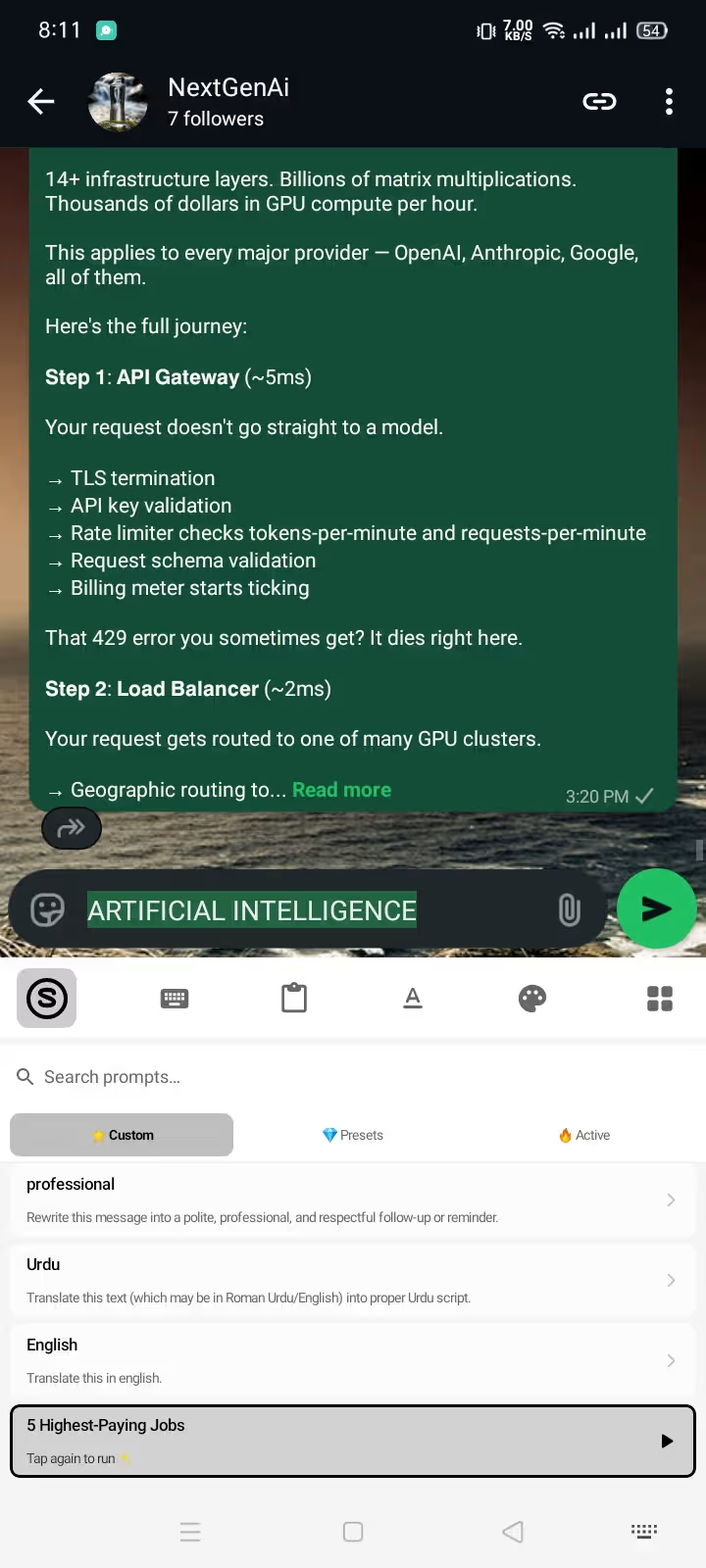
Pick a Prompt
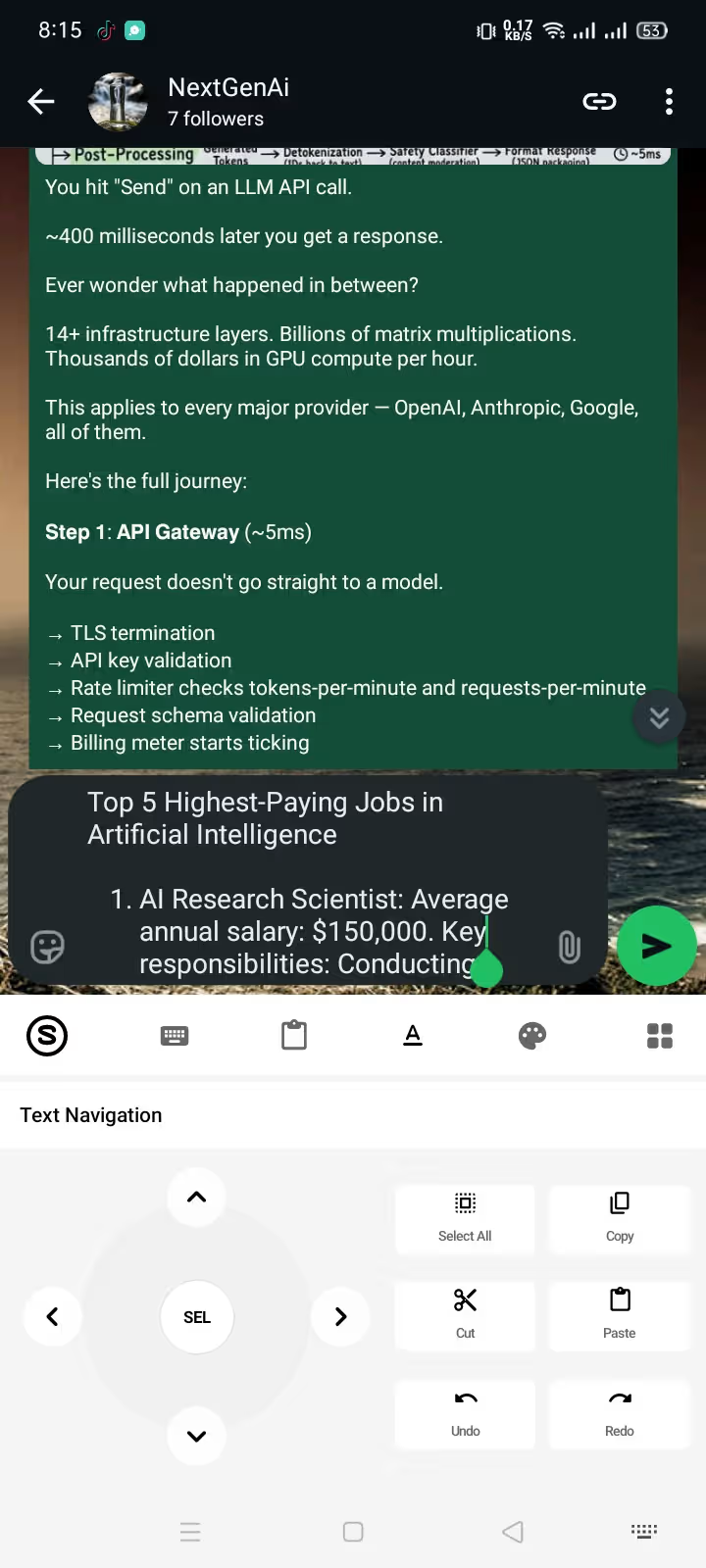
Generating Reply
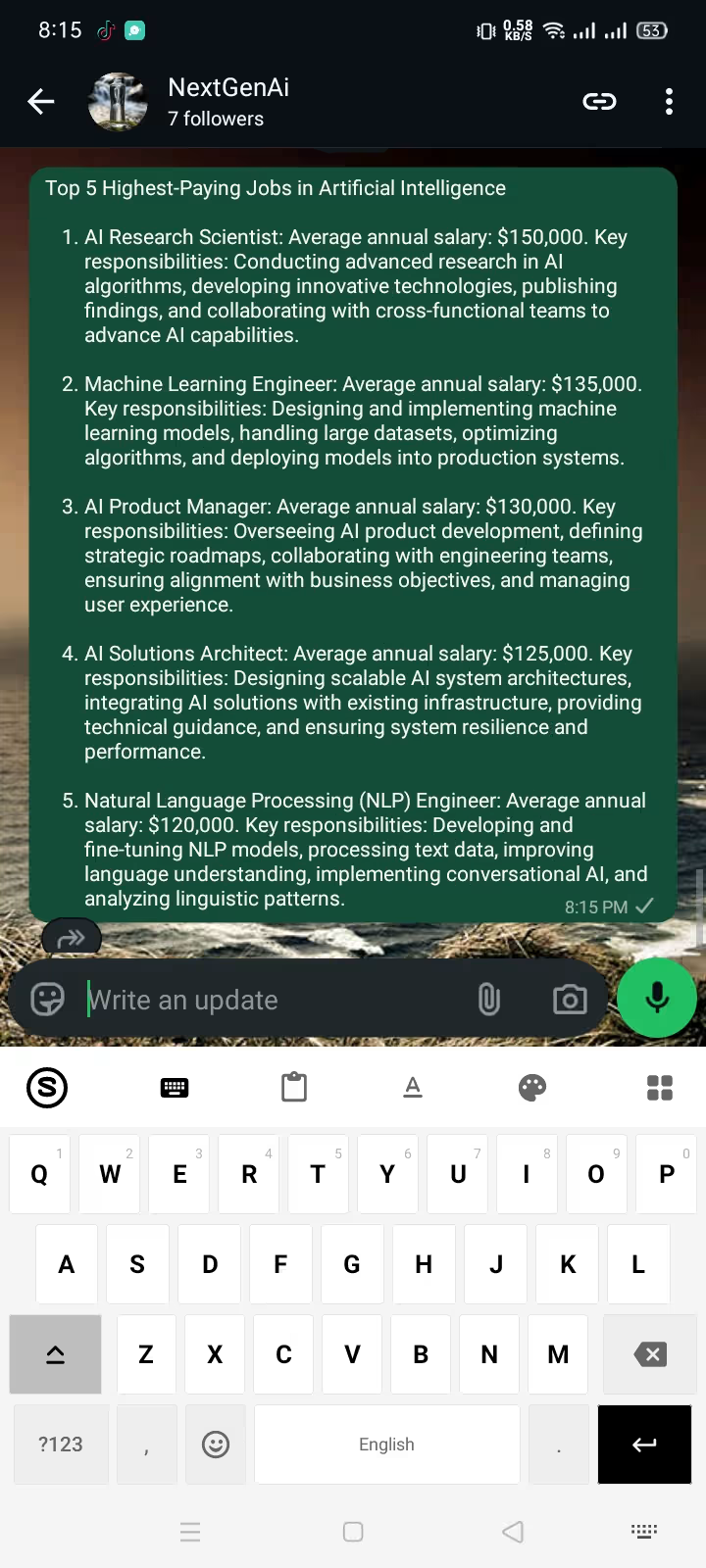
Instant Answer
Why Choose Synapse Keyboard?
Other keyboards give you grammar check. Synapse gives you a full AI assistant. Ask it to write emails, translate conversations, generate code, draft proposals — whatever you need, right where you type.
Full AI — No Limits
Most keyboards give you grammar check. Synapse gives you a full AI assistant — ask it anything and get the answer directly in your keyboard, inside any app.
Compare with competitors →Custom AI Prompts
Create, save, and reuse custom prompts. Pitching clients or sending updates? Type your prompt keyword and expand it to complete text inside any app.
Great for freelancers →Pay-as-You-Go Credits
No subscription trap. Buy credit packs starting at $5 and spend only when executing AI operations. Basic typing features remain free forever.
See all features →Privacy-First Input
Normal typing never leaves your phone — no typing analytics, no learning. Only text you explicitly send to an AI prompt is processed, and those prompts and responses are saved to your account history. Password and OTP fields are never touched.
AI grammar checker →Works seamlessly in WhatsApp, Gmail, Instagram, Slack, and any app you type in.
Simple, one-time energy credits
Pay once, use forever. Pay with crypto and get 30% more credits on every package.
Mini
- Instant activation
- Syncs to mobile app
- No expiration
Starter
- Instant activation
- Syncs to mobile app
- No expiration
Growth
- Instant activation
- Syncs to mobile app
- No expiration
Scale
- Instant activation
- Syncs to mobile app
- No expiration
Max
- Instant activation
- Syncs to mobile app
- No expiration
Powered by Cryptomus — USDT and other coins supported. Send the exact amount shown at checkout; network and exchange fees aren't covered.
Energy credits are non-refundable — start with $5 and top up only if it works for you. Know before you buy →
Common questions
Everything you need to know about Synapse AI Keyboard.
What is Synapse Keyboard?
Synapse is an AI-powered Android keyboard that works in every app where you type — WhatsApp, Gmail, Instagram, Twitter, and more. Highlight any text or tap the AI button to rewrite, translate, fix grammar, or generate content instantly.
How do I install and enable the keyboard?
Three steps: (1) Download the APK and install it — allow 'unknown sources' when prompted. (2) Open Synapse, tap 'Enable Synapse Keyboard' and toggle it on in system settings. (3) Select Synapse as your default input method. The app includes a guided setup on first launch.
What are energy credits?
Energy credits power every AI request. Each action — improving text, translating, fixing grammar, generating content — uses a small amount based on input and output size. New accounts start with 20,000 free credits. Credits never expire and sync in real-time between the mobile app and web dashboard.
How do I buy more credits?
Visit the Pricing section and choose between card (via Gumroad) or crypto (via Cryptomus). Card payments deliver a license key to your email that you redeem on the dashboard. Crypto payments credit your account directly — no key needed. Every package is a one-time purchase, no subscription.
Why do crypto payments get more energy?
Crypto has lower processing fees and no chargeback risk, so we pass those savings to you as bonus credits. Pay with crypto and get 30% more credits on every package. For example, the $30 Max pack gives 3M credits with card but 3.9M with crypto. USDT payments are supported.
Real reviews from real users
Ready to upgrade your typing?
Download the Synapse AI Keyboard APK and start using AI in every app within minutes. Free to install, 20,000 credits included.
- Free APK — no payment required to install
- 20,000 energy credits on first signup
- Works on Android 8.0 and above
- English keyboard — AI can write and translate in many languages
- Installed outside the Play Store: Android shows its standard sideload warning
- Google sign-in required · AI features need internet
v1.2.3Signed APK0/60 on VirusTotal
View the independent VirusTotal scan reportSHA-256: 34795292e3b57fcfd26dfe5d2ccca6a535f39d4e0a0182e8f53a3871d7855c16
20K
Free credits
Safe
Verified APK
8.0+
Min Android
~24 MB
Download size
Safe to install
Google Play Protect still scans the app on your device when you install it. You'll just see a one-time “allow from this source” prompt — tap Allow, then Install. That's the only extra step versus the Play Store.